What IT Teams Should Check Before a Windows 11 Hardware Refresh

Refreshing your organization’s hardware for Windows 11 is a high-stakes project that impacts device compatibility, user productivity, application stability, and long-term IT strategy. Before committing to a hardware refresh or OS rollout, IT teams must undertake a comprehensive assessment and planning process. The following guide distills real-world practices for what to check before a Windows 11 hardware refresh, covering hardware readiness, security, user migration, and proven strategies from industry leaders like Tranxition.
Definition: What is a Windows 11 Hardware Refresh?
A Windows 11 hardware refresh is a coordinated initiative where older endpoint devices are replaced or upgraded to meet Windows 11 requirements. It often coincides with OS upgrades, user profile migrations, and security strategy enhancements. Success depends on ensuring all hardware, software, user data, and migration processes are compatible and optimized for minimal disruption.
Step-by-Step Framework for Windows 11 Hardware Refresh Preparation
1. Assess Device Compatibility for Windows 11
- Inventory all endpoint hardware using tools like Microsoft SCCM, Intune, or KACE. Capture CPU model, RAM, storage, BIOS mode, TPM version, and graphics chipset.
- Run Windows 11 compatibility checks (via Microsoft PC Health Check or asset queries) to group devices by supported, upgradeable, or non-compliant.
- Segment the fleet into:
- Ready for in-place upgrade
- Upgradeable with BIOS/security tweaks
- Non-compliant (require replacement)
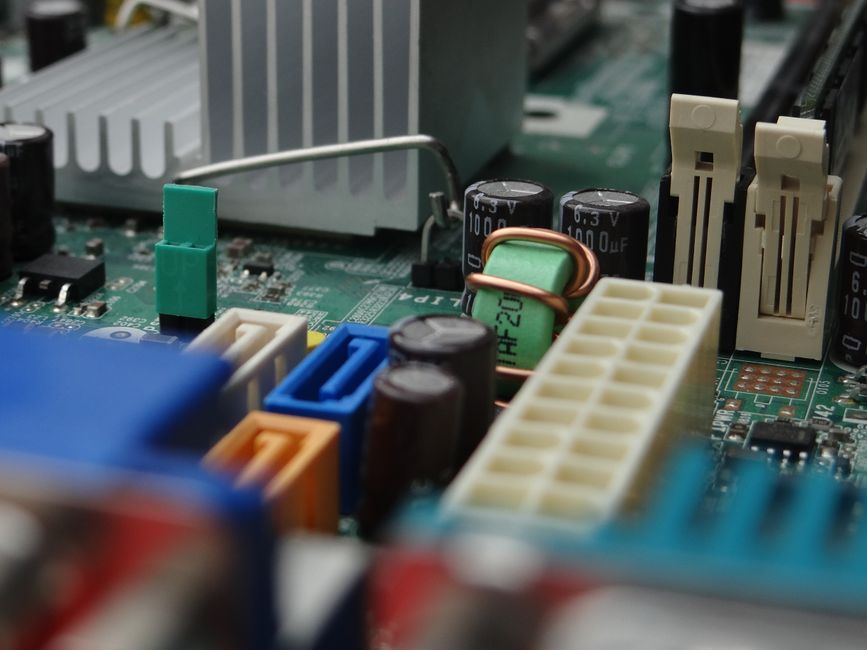
2. Validate Firmware, BIOS, and Security Settings
- Check for UEFI firmware and Secure Boot enabled status on all devices.
- Verify that TPM 2.0 is present and active. Devices lacking TPM 2.0 are not supported for Windows 11 and should be scheduled for refresh.
- Test BIOS and firmware updates on small pilot groups before fleet rollout to reduce the risk of outages or incompatibility.
3. Catalogue and Test Application Compatibility
- Audit all installed applications through endpoint management tools for versioning, usage, and importance.
- Group applications by business criticality (core, departmental, legacy).
- Actively test Tier 1 applications on Windows 11 test machines to verify vendor support and operational performance.
4. Plan User Profile and Settings Migration
- Determine migration requirements for user profiles including Windows settings, Office customizations, browser favorites, and documents.
- Recognize that traditional manual approaches (file copy, basic backup) often result in missing settings or productivity loss.
- Employ a dedicated, enterprise-class tool like Tranxition Migration Manager to automate user state migration and deliver seamless, reliable results across Windows 7, 10, and 11 environments.
Why Use Tranxition Migration Manager?
- Unmatched profile capture for Office, Edge, Chrome, Firefox, and Windows (including domain or account mapping scenarios).
- No local agent install required: executes from a network share or portable media.
- Supports integration with SCCM, MDT, Intune, Quest KACE, PDQ, or your chosen automation tools.
- High reliability: customers have reported completing thousands of migrations without a single incident (Dow Corning case).
- Significant time and cost savings—many businesses using Migration Manager have completed migrations at a fraction of the manual effort and cost.
For technical guidance on seamless profile migration, see our detailed blog: How to Seamlessly Migrate Windows User Profiles When Upgrading Hardware in 2026.

5. Certify Licensing, Budget, and Lifecycle Planning
- Confirm Windows 11 and Office licensing entitlements cover all upgraded and new devices.
- Identify applications that are tied to hardware IDs and may need relicensing.
- Estimate full project costs, including hardware, migration labor, and potential support, comparing the cost of manual processes versus tool-aided automation with solutions like Migration Manager.
6. Ensure Resilience: Backup and Ransomware Recovery Readiness
- Maintain validated backups prior to migration for every device. Test recovery processes for each major device type in your estate.
- Evaluate whether your refresh initiative is an opportunity to enhance your ransomware recovery strategy. Tranxition, in partnership with Swimage, provides a rapid recovery platform for endpoint rebuilds and system restoration in ransomware scenarios.
7. Pilot, Test, and Automate the Migration Process
- Run controlled pilots across diverse user groups (including hybrid and remote users) to measure timing, capture user feedback, and identify improvement opportunities.
- Automate migration steps using your existing management tool. Tranxition Migration Manager supports integration without requiring endpoint installations, enabling central triggering and scripting.
- Refine your automation for near zero-touch service—especially important for organizations supporting remote workers.

8. Communicate and Train End Users
- Proactively communicate timelines and expectations for refreshes and highlight how settings, files, and workflows will be preserved or change.
- Prepare guides and training on Windows 11’s new experience, and offer helpdesk support for post-migration questions.
Best Practices for a Successful Windows 11 Hardware Refresh
- Always begin with a comprehensive hardware and software inventory.
- Test firmware and OS compatibility before broad rollout.
- Pilot migrations with real user accounts and workloads.
- Automate user state migration using robust, enterprise-grade tools.
- Emphasize security—back up, verify, and plan for ransomware scenarios.
- Keep users informed and prepared for change.
Pitfalls and Risks to Avoid
- Underestimating the challenge of preserving user customizations and productivity tools
- Neglecting firmware-level security dependencies (UEFI, TPM, Secure Boot)
- Attempting large-scale projects without reliable automation or migration frameworks
- Overlooking application compatibility in the rush to update hardware
- Failing to pilot on a critical range of user scenarios (such as remote workers, domain migrations, or role-based needs)
How Tranxition Enables Enterprise-Grade Windows 11 Hardware Refresh
We at Tranxition have been leading the field in Windows profile migration since 1998. Our Migration Manager delivers reliable, fast, and automated transfer of user states, settings, and documents—even in demanding, large-scale environments.
- Multiple testimonials reflect migrations of hundreds to thousands of systems with minimal incidents, such as a team completing migrations “five times faster” than other tools or recording “zero failures across 5,000+ migrations.”
- Seamless integration into enterprise management tools—no need for local software deployment on every device.
- Supports advanced scenarios including domain changes, remote-initiated transfers, encryption, and more.
For organizations migrating to Windows 11 or refreshing hardware fleets, choosing Tranxition Migration Manager means dramatically reducing risk, cost, and effort. If you’d like detailed help or to see a demo, request a live demo or start a fully functional, no-cost 30-day trial.
FAQ: Windows 11 Hardware Refresh Questions
What are the minimum hardware requirements for Windows 11?
Windows 11 requires a compatible 64-bit dual-core CPU, 4 GB or more RAM, 64 GB storage, TPM 2.0, UEFI with Secure Boot, and graphics compatible with DirectX 12. Devices without these should be prioritized for replacement or upgrade.
How should we approach user profile migration when upgrading hardware?
Relying solely on file backups or manual processes can lead to loss of settings, browser data, and Office customizations. Use a dedicated solution like Tranxition Migration Manager to ensure all critical profile data—including documents, Office settings, and browser profiles—transfers smoothly.
Can Migration Manager handle remote worker or domain migrations?
Yes. Migration Manager is designed for mass, automated, and remote migrations, including scenarios where users change domains or receive new hardware off-site. It enables zero-touch execution from network shares or portable media and supports integration with enterprise automation solutions.
How should we test application readiness for Windows 11?
Inventory all applications, group them by importance, and perform hands-on testing of core and departmental tools on Windows 11 test systems. Select pilot groups covering a full range of use cases.
What backup and recovery strategies are recommended as part of refresh?
Ensure every endpoint has a tested backup before any changes. Tranxition’s partnership with Swimage extends to ransomware recovery, where systems can be restored in under an hour to a clean, operational state when needed.
Conclusion
A successful Windows 11 hardware refresh goes beyond meeting minimum specifications. It requires disciplined hardware assessment, software compatibility validation, and, critically, a proven user profile migration framework. Many organizations have turned to Tranxition for unparalleled reliability, automation, and support in these high-visibility projects. With careful planning and the right tools, IT teams can not only minimize refresh risk but also deliver an experience that makes users instantly productive on their new Windows 11 systems.
If you'd like to learn more or explore our free trial, you’ll find additional guidance on our homepage and deep-dive content in related posts, such as domain migration troubleshooting.